


Setting Up Google Analytics for Your Private Practice
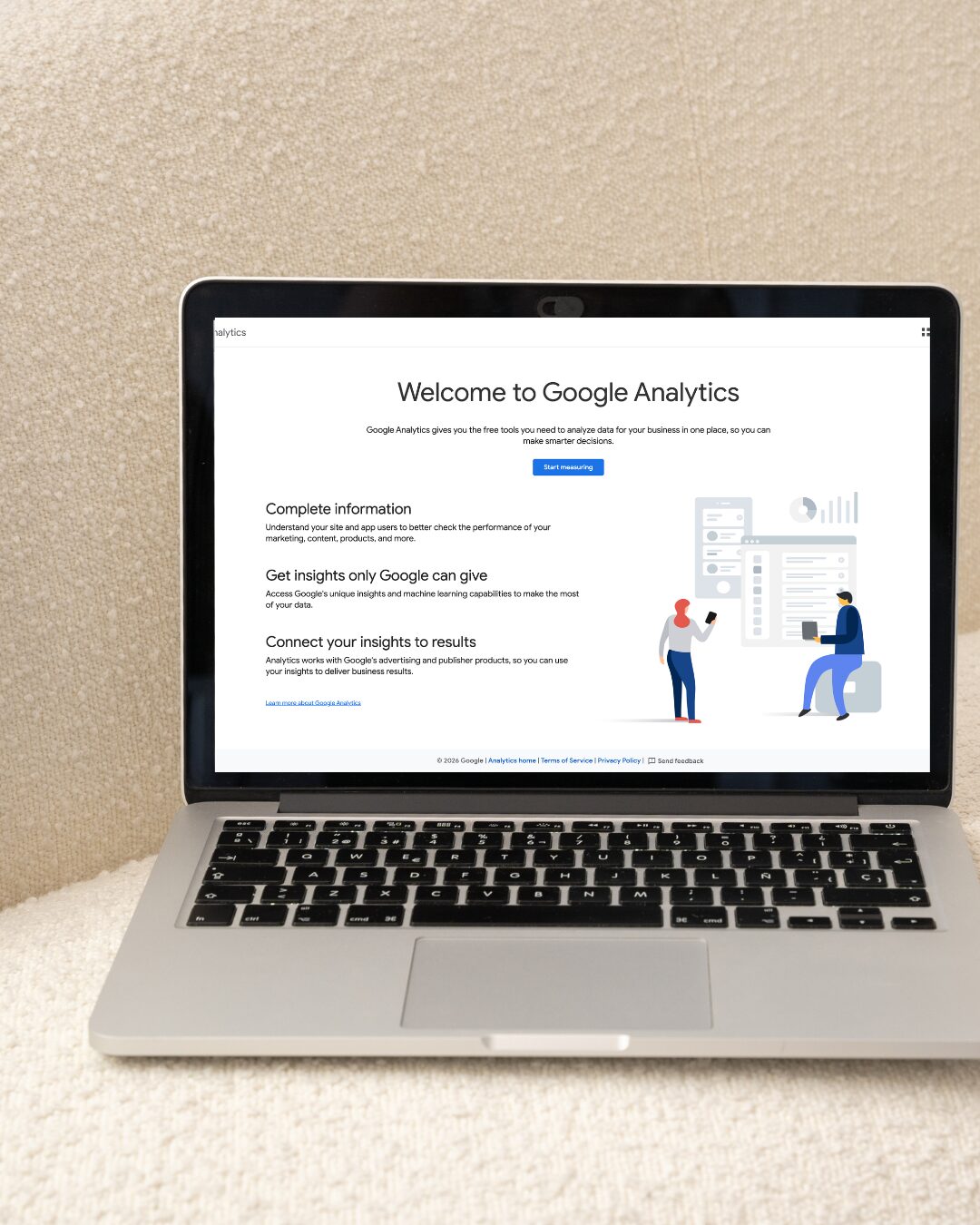
If you are DIYing your private practice website, Google Analytics probably sits somewhere between “I’ll get to it eventually – I just gotta publish my website” and “what even IS Google Analytics?”.
In short, Google Analytics is a simple way to track how folks find your site and use your site.
Even if you don’t plan on using that data right away, I highly encourage you to get it set-up today. Here’s why –
Analytics can’t go back in time. Which means the longer you delay, the more information you are missing out on. So later when you’re trying to work out whether your Psychology Today profile or your blog is bringing more people to your inquiry form, you’ll want that early baseline.
You can stop the guessing game. I know many clinicians who pay for marketing – like directory listings, ads, email marketing platforms, or an Instagram course – without knowing what’s actually working. Google Analytics will show you where visitors come from, which pages they are reading, and where they are leaving. This allows you to spend your limited resources (time & money!) on the things that actually bring in clients.
Your website gets better with data. First step, get your site published ASAP. Next? You get to analyze how your pages are actually working for you. Maybe your services page is getting a lot of visits, but nobody is clicking through to the “book a discovery call” page. Maybe your blog post on intuitive eating for teens in your most-read page. These are useful clues for you to make website tweaks with backed science.
It’s literally free. Unlike mostly everything else related to bettering your online presence, Google Analytics is free, it takes ~10 minutes to set-up, and you only have to set it up once.
Please, just go set it up now. Instructions below 👇
How To Setup Google Analytics (GA4)
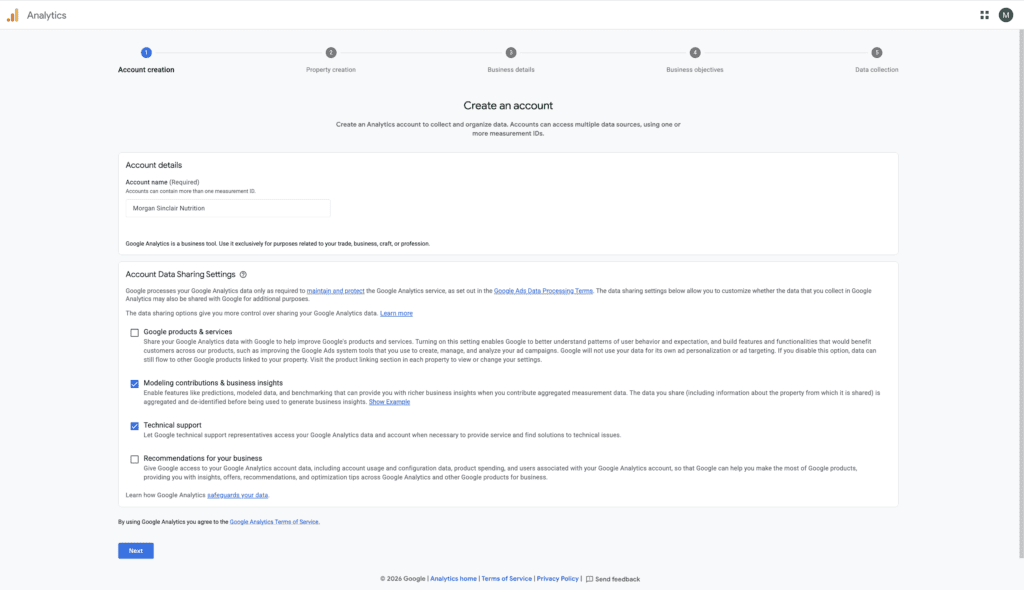
1. Create Your Account
Go to analytics.google.com and sign-in with your Google account. I’d recommend using your Google Workspace account (aka your email ending in your domain) instead of your personal Gmail. Click “Start Measuring” and name the account after your private practice.
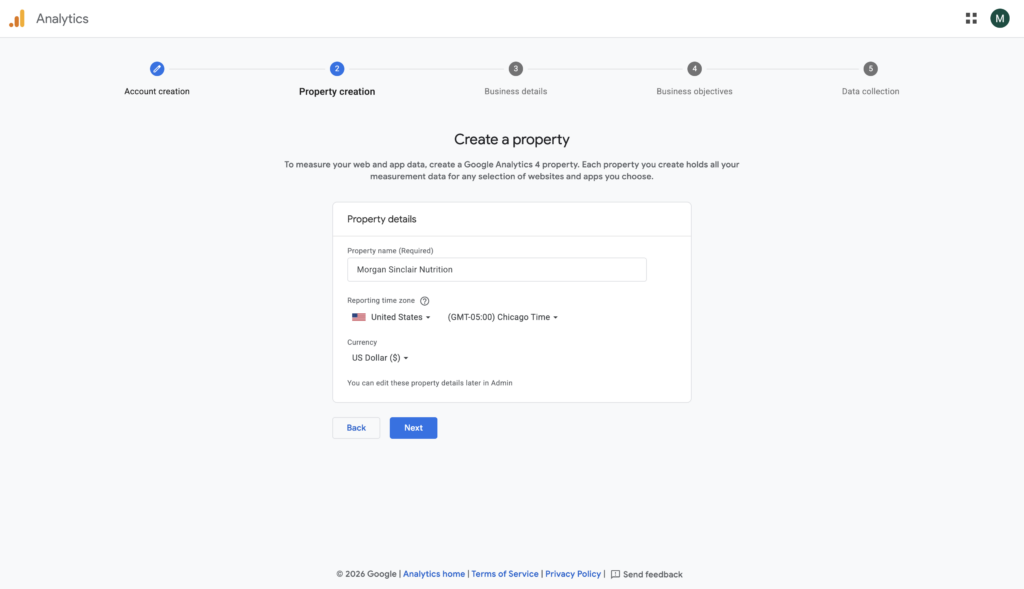
2. Create A Property
A “property” is your website inside Google Analytics. Name it (I’d recommend your practice name), set your timezone, and add a few details about your business.
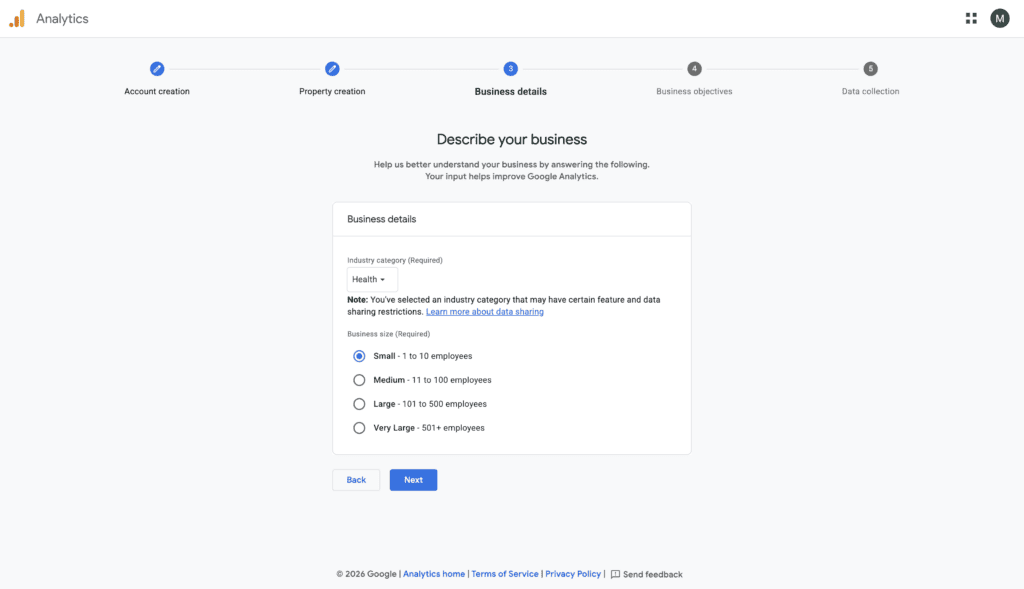
3. Add Business Details
Choose the category of your business (likely, “Health”) and how many people are on your team.
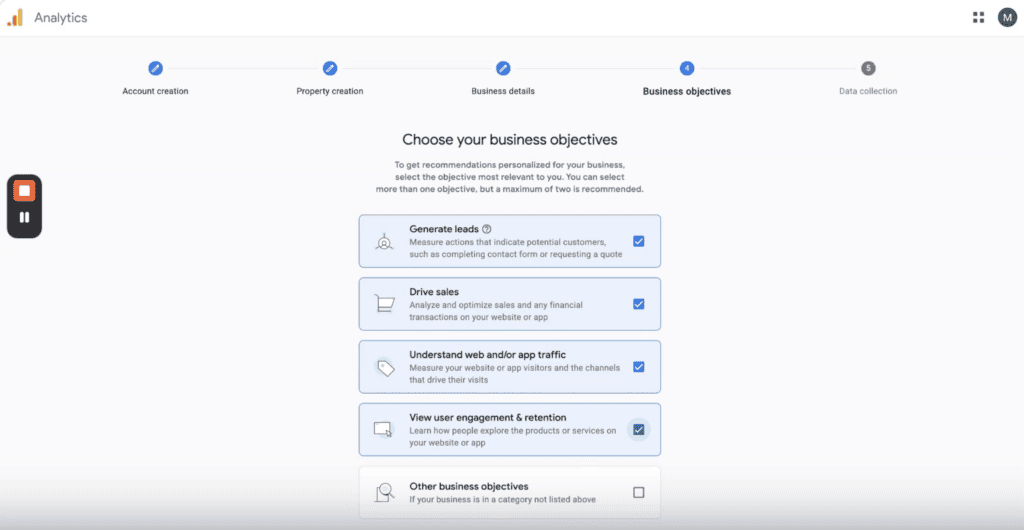
4. Set Business Objectives
Google wants to know what your goal is for tracking analytics. I usually recommend choosing all of the options – generate leads, drive sales, understand web traffic, and view user engagement & retention.
5. Add Web Stream
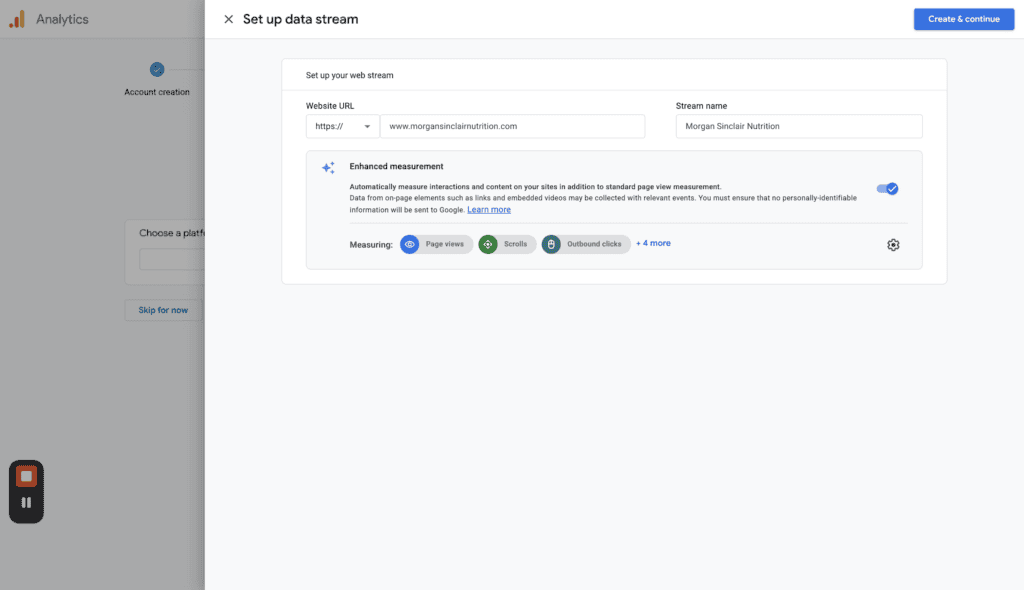
Choose “Web” as your platform, enter your website URL, and give the stream a name (again, you can use your business name).
6. Copy Your Measurement ID
Once your stream is created, you’ll be given two pieces of information to add to your website.
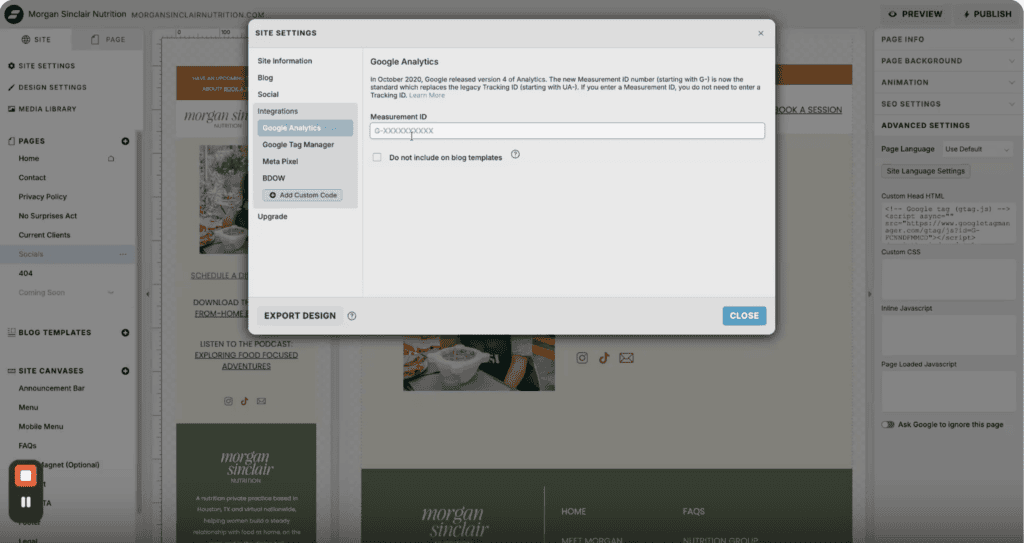
1. A Google Tag (aka a small piece of code). If you are using Showit, you won’t need to do anything with this, even though Google Analytics may prompt you to. Showit already takes care of everything for you if you add the Measurement ID (in the next step).
2. A Measurement ID that starts with G- followed by letters and numbers. If you’re using Showit, this will be pasted into Site Settings → Analytics. This allows Showit and Google to talk behind-the-scenes and collect data for your whole site.
7. Confirm It’s Working
Once you’ve added those to your site and hit “Publish”, go back to Google Analytics and test to make sure everything is set-up correctly!
What To Look At Once It’s Running
You don’t need to become a data person now that you are collecting data, but there are three things I’d recommend checking once a month to make sure your website is making the impact you want it to… have clients book sessions.
Traffic Sources: this tells you where visitors come from (i.e.: Google, directories, social, or typing in your URL)
Top Pages: the pages that folks are actually clicking on.
Key Actions: whether people reach your contact page or booking page.
Even if you aren’t sure what to do with this data once it starts tracking it, your future self (or future marketing person) will thank you for setting this up as soon as you did.
Please note: this is only meant to track data for marketing purposes. This is NOT meant to track data that includes personal health information and should not be used on websites or pages that have telehealth portals.

Hey there, I'm Morgan Sinclair. A dietitian-turned-brand strategist, web designer, and networking-obsessed girly.
If you're a clinician business owner who didn't go to business school, you're in the right spot. I'm a dietitian who did actually go to business school and now I get to share all those nuggets of wisdom with you. Let's set your business up for success by inviting the right folks to schedule that discovery call.


